
Coming up in early April 2026, Blackboard will have additional options for assignments submission options, so I just thought I’d give y’all a preview so no one freaks out.
You will see these new options under your assignment settings, with a new section called Submission Details:
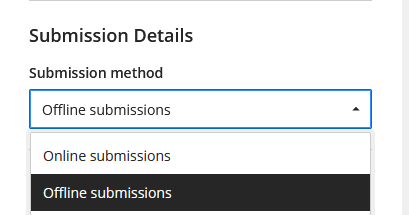
As you can, you have two different methods: online and offline. For offline submissions, I refer you to my blog post on that topic. In this post, I will focus on online submissions.
For online submissions, the default is to have two types of submissions allowed by default:
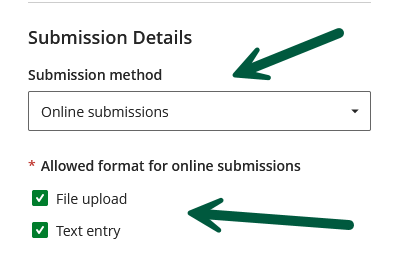
As you can see, students have the option to either upload a file, or just type their work in the Blackboard editor. If you allow either or both formats, then, your students will be presented with both:
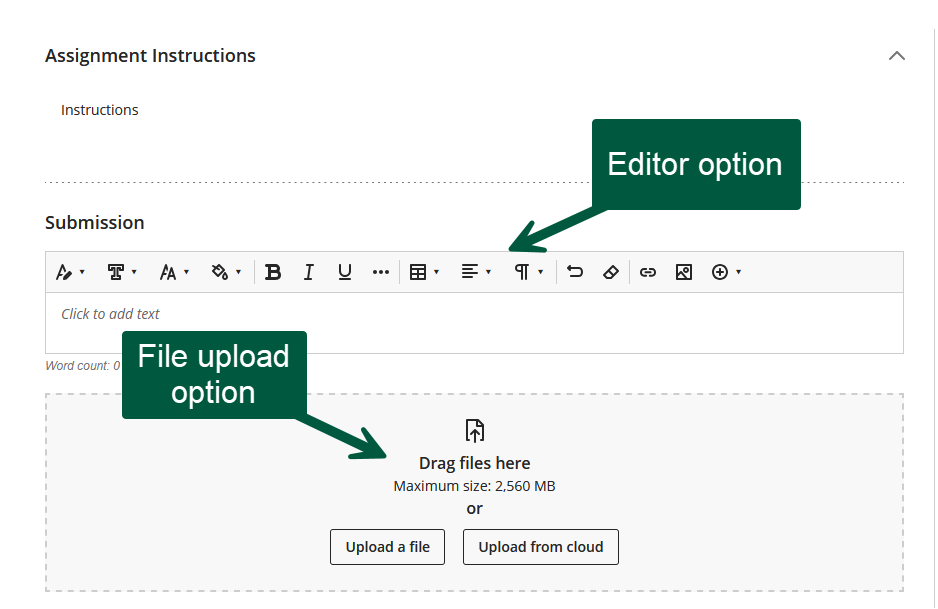
But what if you want only one of these options allowed? Easy, you uncheck the one you don’t want:
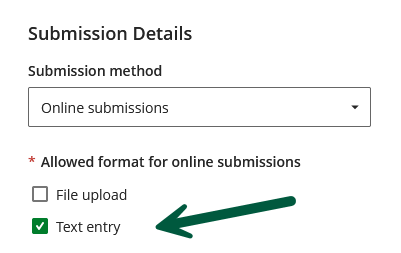
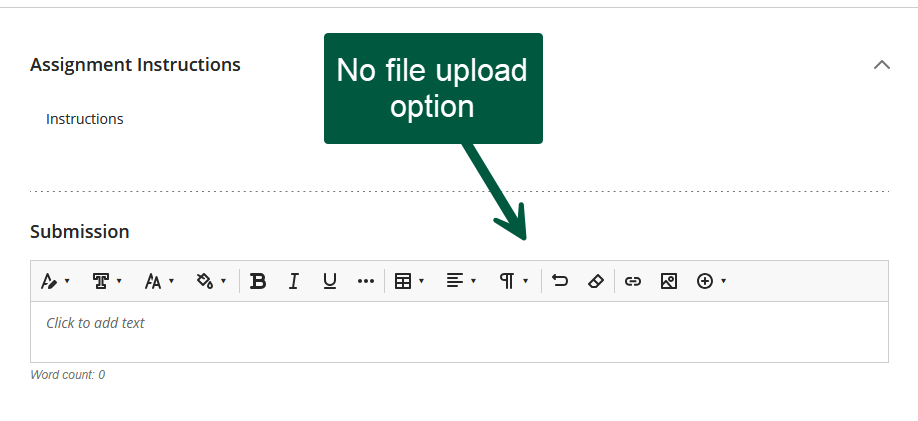
In this case, you will only allow submissions via text entry using the editor and your students will not get the file upload option available to them:
Conversely, if you only want the submissions to be uploaded files, then, you uncheck the text entry option:
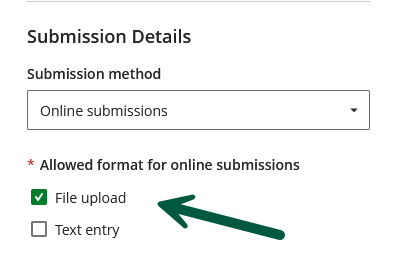
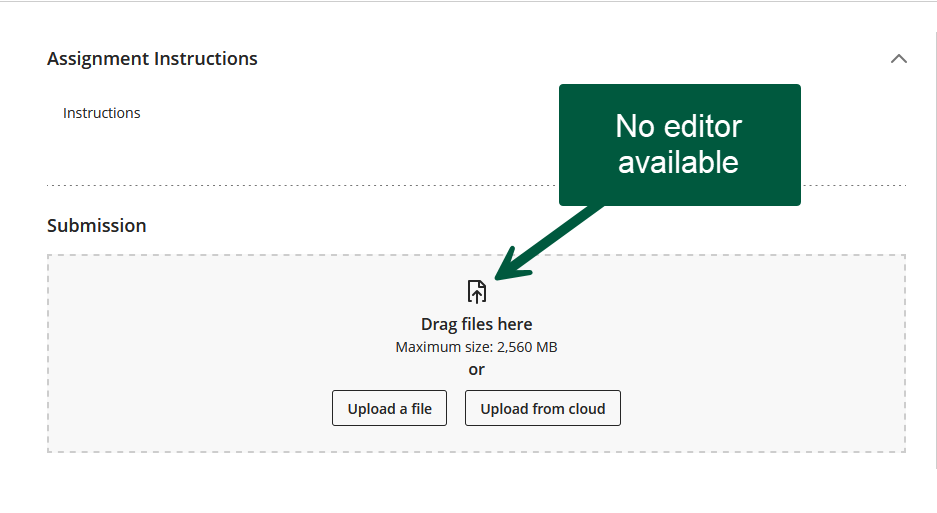
In this configuration, the editor will not be available to your students:
Lastly, you will be able to see what your configuration is on your assignment page:
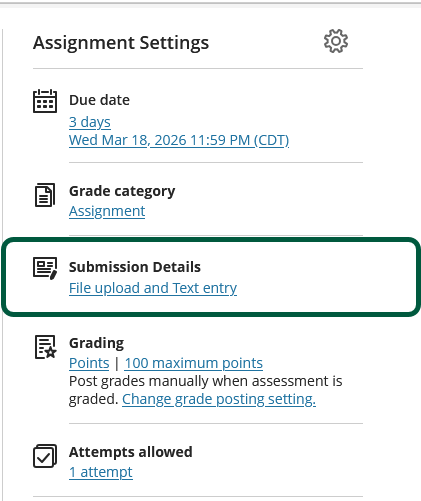
Your current setting is clickable if you need to make changes.
This feature should allow you to fine-tune the submissions you receive.
Personally, for assignments, I much prefer file uploads because I can then use the inline grading tools, which are not available with the Blackboard editor. Also, when students use the editor, they generally do not use the formatting options available to them.
