
So this is a problem that has been brought to the attention of, well, a lot of people: a faculty has an assignment done offline, but with grades to be posted in the gradebook. Said faculty creates the assignment in Blackboard, then check the “Collect Submissions Offline” box. Then, said faculty collects the submission to be graded manually at some indeterminate time (but after the posted due date in Blackboard). Unbeknownst to the unfortunate faculty, since these submissions are not yet graded but the collection deadline has passed, all the students’ submissions are marked as late. Emails and messages deluge ensues, with much rending of garment. It’s miserable all around AND there is no fix. Much Blackboard cursing may also happen.
This situation happens because if an instructor’s intent is “collect offline, grade later”, the Collect Submission Offline is not the right setting (I know). What you want, in such a situation is to create a manual column in the gradebook.
“But Christine,” you ask, “then what the 🤬is “Collect Submissions Offline” for, if not to, well, collect submissions offline?” Glad you asked, although, I, for one, would never use such language.
Before going any further, I need to thank the Learning Tech instructional designers for walking me through this (I never had this issue because I collect everything graded online).
“Collect Submissions Offline”
Anyhoo, Blackboard uses the Collect Submissions Offline setting for work graded on the spot. For instance, your students demonstrate some skills live and you complete a rubric for every step of the procedure they are demonstrating. They get their grades at that time once the rubric is complete.
In the Blackboard documentation, offline work is exemplified as follows:
Examples of offline work:
- Oral presentations
- Science fair projects
- Acting performances
- Artwork delivered in person
- Face-to-face team building exercises, panel discussions, and debates
In this case, it seems clear that Blackboard defines offline as “live demo” type of work, graded on the spot. If this is the type of work you intend to use, then, setting up your assignment as “Collect Submissions Offline” is appropriate. You would set up your assignment, just like any others, just check the box.
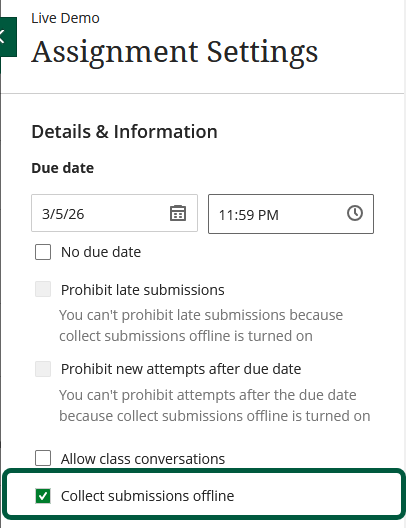
This will create a regular assignment item on your course content page,
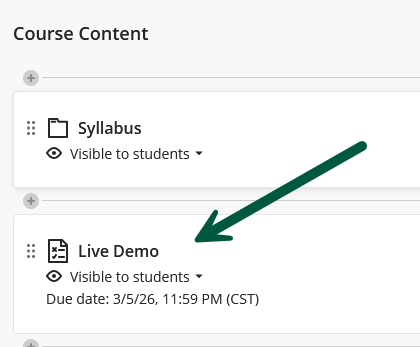
a calendar item,
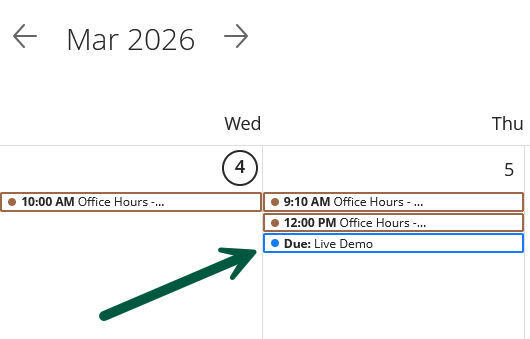
as well as the corresponding item in your gradebook.
On your end, if you open the assignment, you will see this:
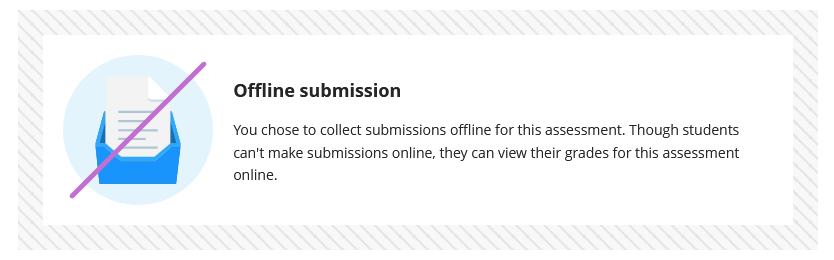
From the students’ side, they will see this:
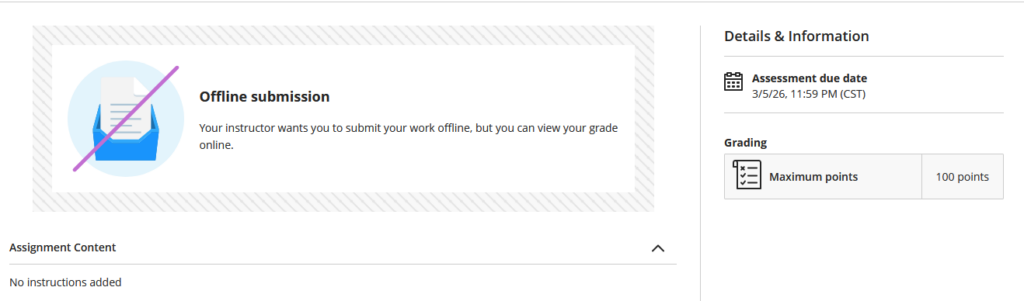
If you used a rubric, it would also be visible on that page.
Quick tip: set the due date and time at the end of the session when you’ll be grading this. If you set the due time at the beginning of your session, then, you’ll get all the late notifications mentioned at the beginning.
But again, if this is not what you intend for your offline submissions, then, you need to use manual gradebook items.
Manual Gradebook Items
If the grades for offline work (not live demos) are going to be posted in the gradebook, then, you will need to create the gradebook items for those submissions. You do not create an assignment, just the gradebook space for these grades to be posted (along with feedback, if you choose to do that), and visible to your students. You can also check out the Blackboard documentation on this topic.
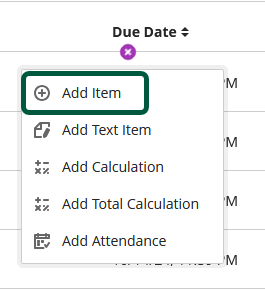
Creating a manual item is easy, you just click on the + sign in the gradebook:
Then, just set the different parameters to your liking:
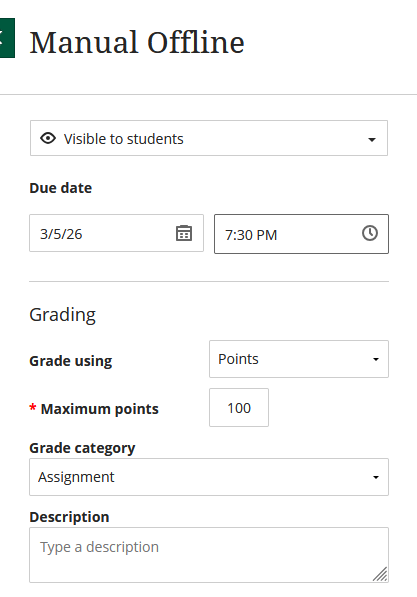
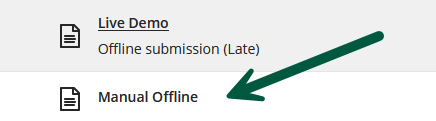
Then save. Your item will be listed in your gradebook:
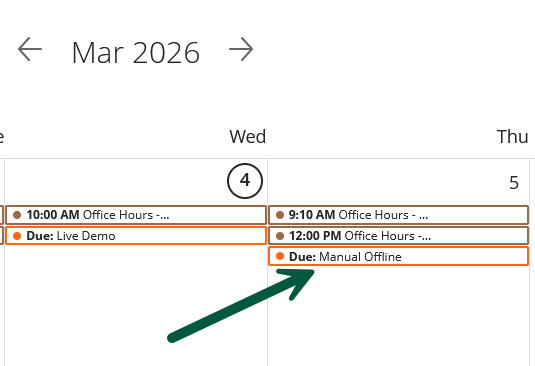
And, in the calendar as well:
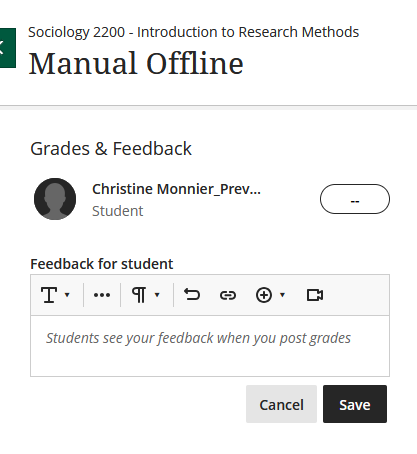
Once it’s time to grade, you will be able to add a grade and feedback:
Just keep in mind when you want all of this to be visible. Let’s say, you want to not have this item visible in the gradebook until you’ve graded it, keep the item hidden, but you can still create a manual event in the calendar that will remind them that something is due on a given date and time.
Also keep in mind that a manual gradebook item will not show up on your course content page (hence having a manual calendar event).
So, the thing to keep in mind:
- live demo + insta-grading (I’m copyrighting that): create the assignment, and check “Collect Submissions Offline”.
- offline submissions to be graded later: manual gradebook item.
Hopefully, I explained that right. If not, well, you can bug the Learning Tech people. 😁
