As mentioned before, now that we are no longer self-hosting Blackboard but using SaaS, Blackboard can push new features all the time. There are two new things that are coming up very shortly that I wanted to highlight here.
Fine-Tuning Your Discussion Parameters
The first one is an additional setting in graded discussion that might be of interest for those of you using discussion boards. To access this new feature, you need to first make sure that the discussion is graded (or change that setting as below):
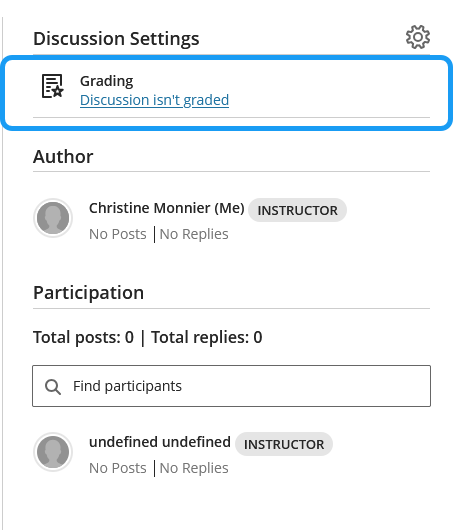
Once you click on the link or the gear, the discussion settings will open and you must check the box highlighted below:
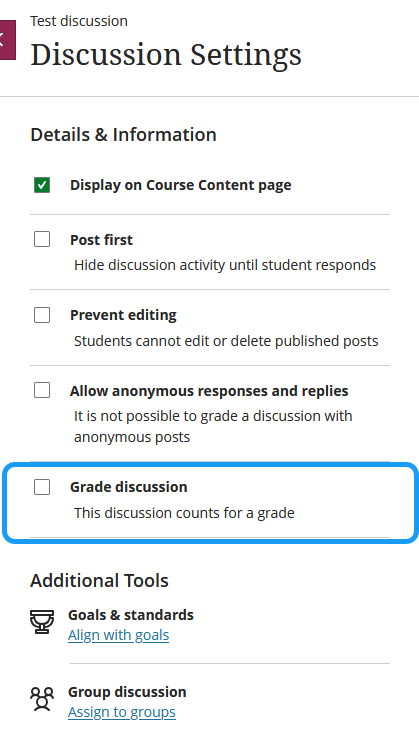
Once you do that, some options will appear, including the new feature:
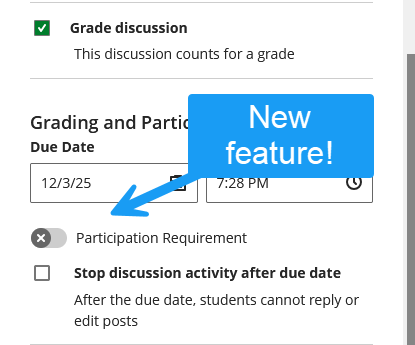
The participation requirement feature will allow you to fine-tune the parameters of the discussion. Toggle it to see:
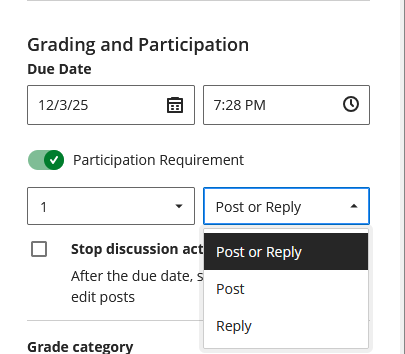
In other words, you set the posting parameters regarding the number of posts or replies you expect students to complete (the max is set at 5).
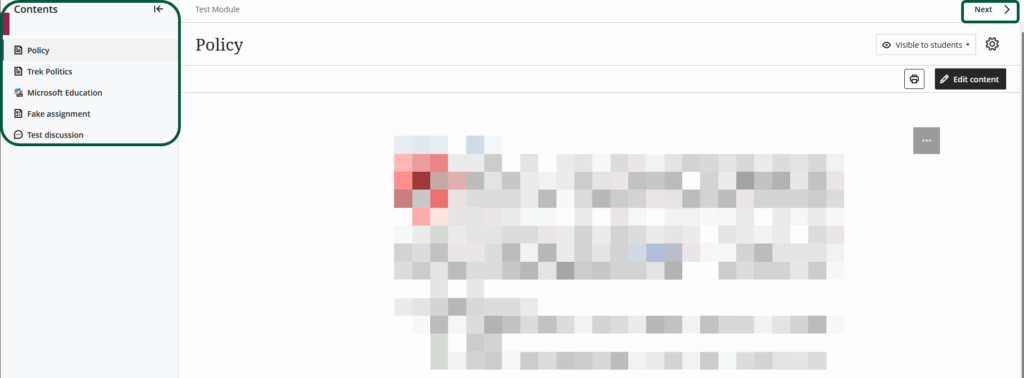
The second upcoming feature is the availability of a module table of content in instructor view.
Module TOC in Instructor View
One of the benefits of using modules is that they generate a table of content and navigation options for students,
For instance, if you create a module, your students will see the set of items in it on the main content page.
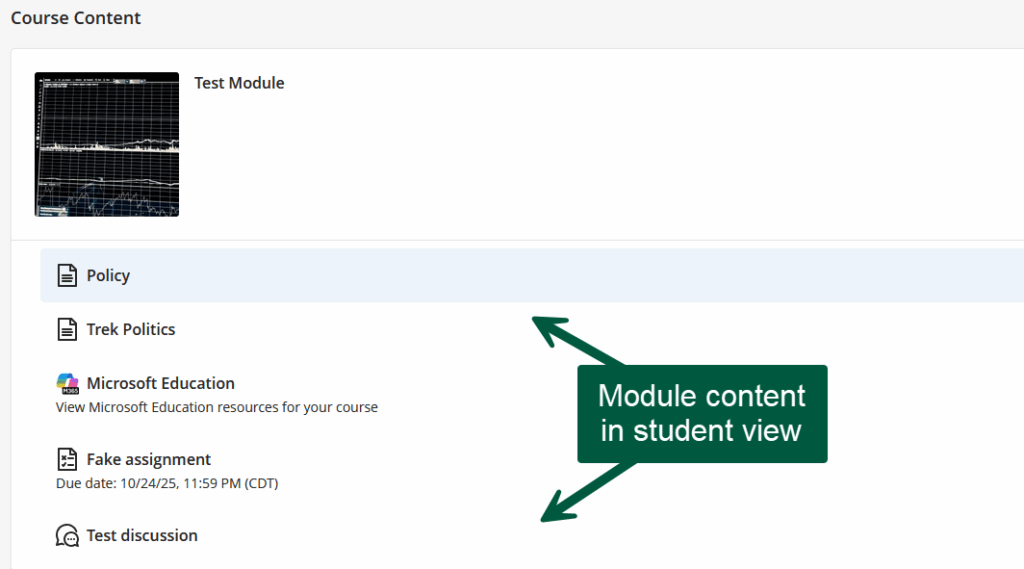
Once they click on one of the items, that item will open, along with a module TOC and navigation options so they don’t have to come back to the main content page to work their way through the module.
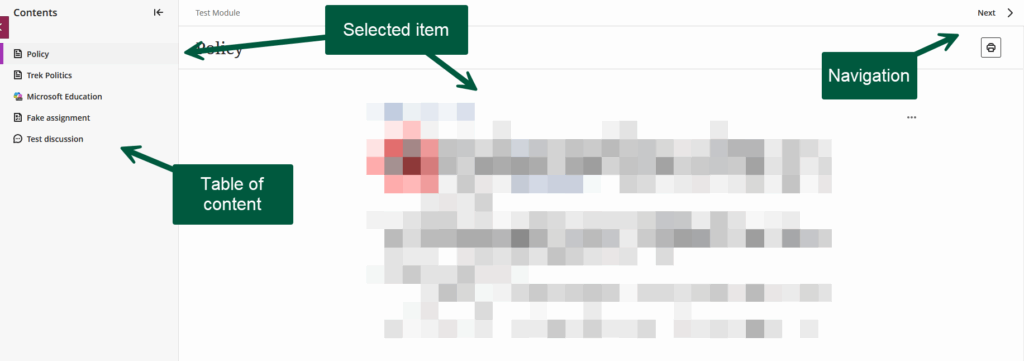
However, these options were not available in instructor view. Well, they will be soon. Soon, things will look pretty much the same on our end. This was, apparently, a highly requested feature. It will now look like this: